
Turn your to-do list into a plan for today.
Beans is a daily planner. Write down everything you need to do, choose what you'll get to today, and block out the time to do it.
Brain Dump
- Book a dentist appointment0:15
- Find a birthday gift for Sam0:30
- Look into a standing desk0:20
Tue Nov 3 Today
- Write the weekly update0:30
- Review launch plan0:45
- Water the seedlings0:10
- Morning walk0:30
Try it. Drag a task onto the Timebox, or press Schedule.
Timebox
- 8 AM
- 9 AM
- 10 AM
- 11 AM
- 12 PM
- 1 PM
- 2 PM
- 3 PM
See it in action.
A short walkthrough of one day in Beans, from writing tasks down to checking them off.
How a day goes
Here's an ordinary Tuesday with Beans.
Write it all down.
Spill the beans: put every task in the Brain Dump the moment you think of it, with no date and no order. Press Q to add one from anywhere, and Beans picks out the date, label and estimate as you type, such as
#home,tomorrowand=30m.
Book the vet tomorrow #home =30m
Wed Nov 4Home0:30 Plan your week.
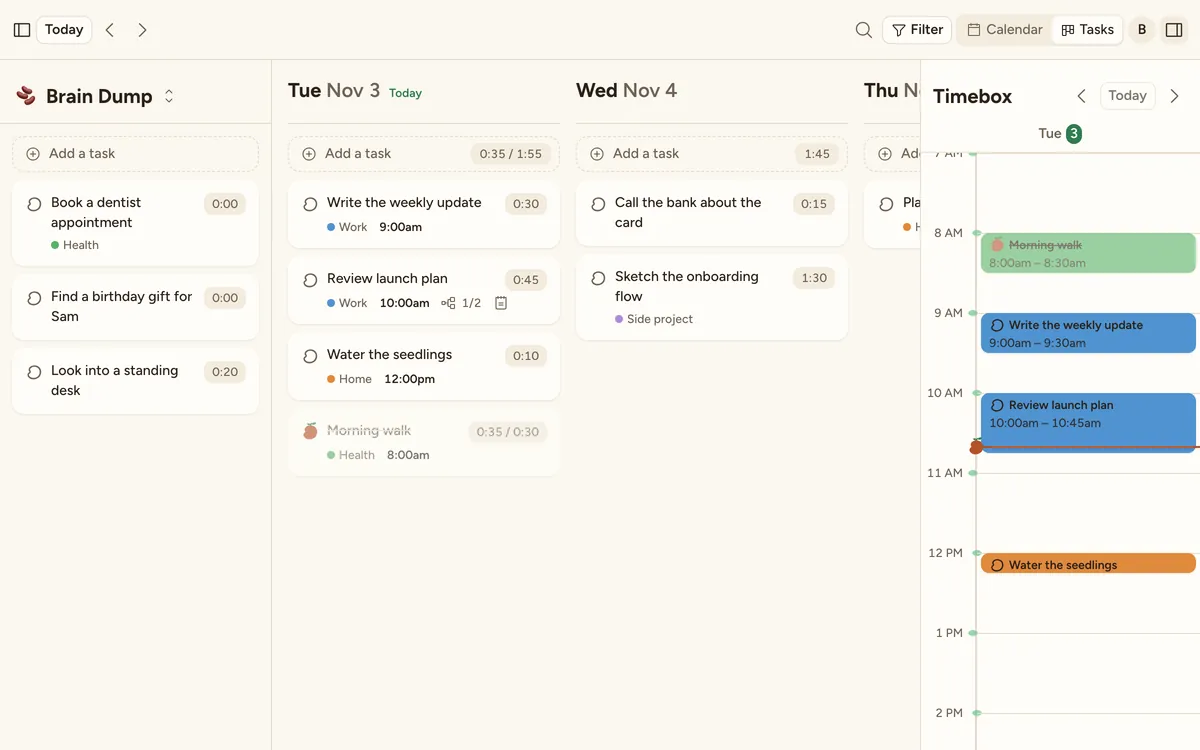
Every day gets its own column. Drag tasks onto the days you'll do them, and you can see at a glance how full each day is. Daily planning can walk you through it each morning, if you'd like.
Block out time for each task.
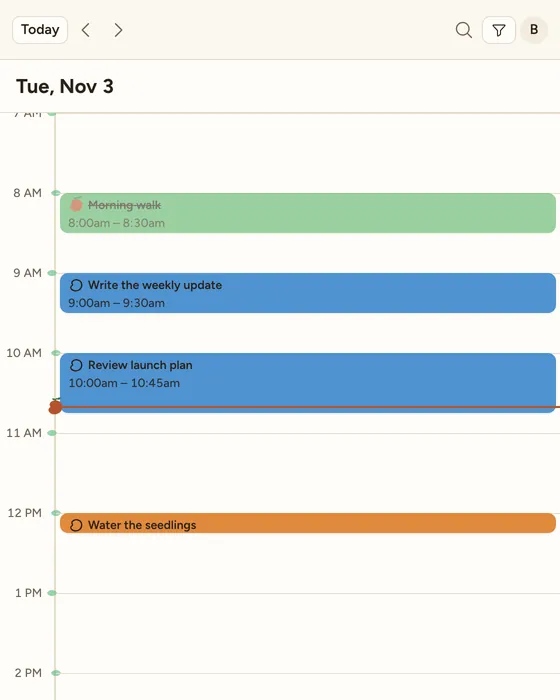
A to-do list won't tell you when anything gets done. Drag a task onto the Timebox to give it a start time, and drag its edge to change how long it takes. A bean marks the current time, so you can see what's next.
Focus on one task at a time.
Start a timer or a Pomodoro when you begin a task. Beans can log the time for you, so you find out how long things really take.
Finished? Check it off and watch it sprout.
- Review launch plan0:45
See where your time went.
At the end of the day, the daily wrap-up shows what got done. Analytics adds up your time by label, in a chart or a table.
- 2:45Work
- 1:05Health
- 0:50Home
- 0:30Side project


Unfinished tasks move to the next day.
At midnight, anything you didn't finish moves to the new day on its own, marked Rolled over. You don't have to copy anything across, and nothing gets lost.
- Sketch the onboarding flow1:30
- Water the seedlings0:10
Also in Beans
- Tasks
- Notes, subtasks, labels, priority, due dates, estimates and actual time.
- Timer
- A timer and Pomodoro, with actual time beside your estimate.
- Repeats
- Repeating tasks, plus templates for the ones you add often.
- Trash
- Deleted tasks stay for 30 days, and you can undo right away.
- Search
- Search, filters and keyboard shortcuts.
- Themes
- Light and dark.
- Sync
- Changes show up right away in every open window.
- Phone
- Works in your phone's browser too.

Try it on today's to-do list.
Add what's on your mind, then give it a day and a time.
